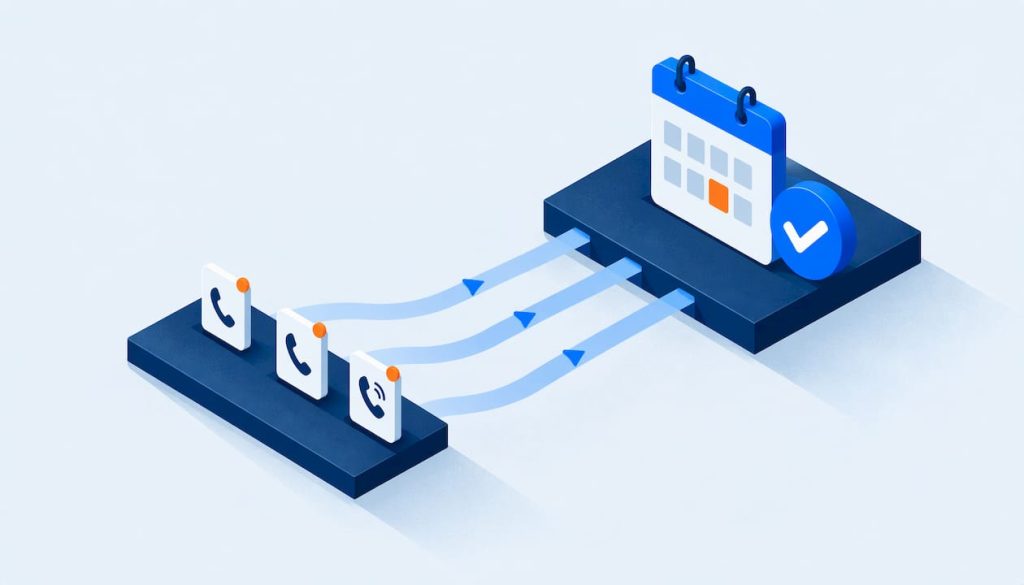
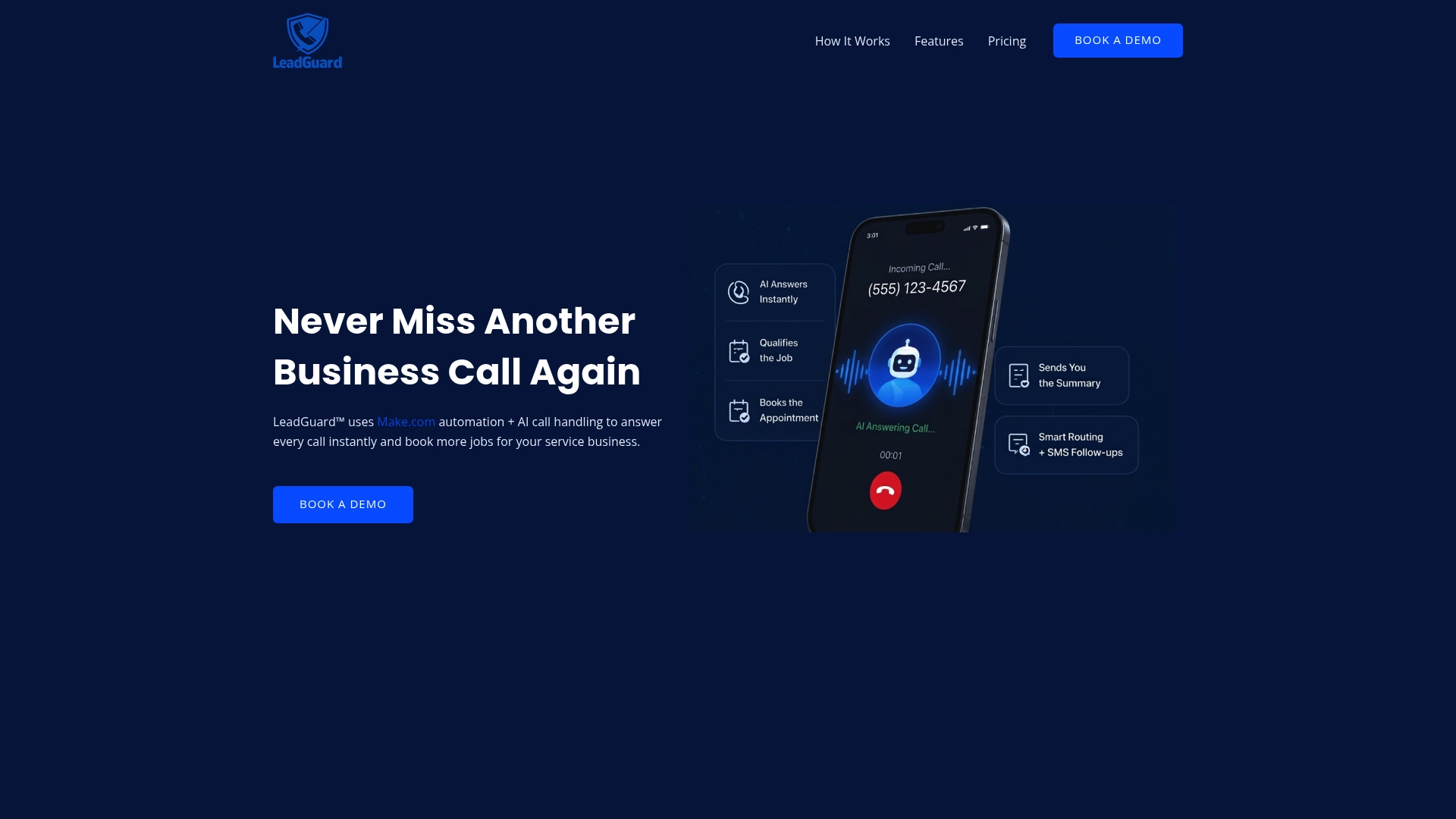
You can’t run a saw, hold a ladder and talk to a new customer at the same time. Most calls come in when you are busy, and a caller who gets voicemail usually moves on to the next company. The fix is to make sure every call is answered right away, even when your hands are full. An AI call answering platform like LeadGuard does that. It picks up every call, qualifies the lead and books the appointment while you keep working.
This guide shows what happens to calls you miss, what to set up so someone always answers, and how to route and book jobs from the first ring.
TL;DR
- Missed calls cost real money. Research puts the average loss for a service business in the tens of thousands of dollars a year.
- Most callers who reach voicemail do not call back.
- Forwarding calls to your cell phone does not help when you are on a roof or under a sink.
- The best setup answers instantly, asks a few set questions, books a time and texts you the details.
- LeadGuard plans start at $97 per month, billed per business or location.
Table of Contents
- What happens to the calls you miss
- Why you can’t answer on site
- Calls outside business hours
- How to set up a business so every call gets answered
- What a good call flow sounds like
- What it costs when you don’t answer
- Our view
- Get started with LeadGuard
- Common mistakes to avoid
- FAQ
- Sources
What happens to the calls you miss
Looks like most small businesses miss more calls than they think. A June 2026 research brief reports that 62% of inbound calls to small businesses go unanswered. It also cites a study that found 85% of those callers never call back.
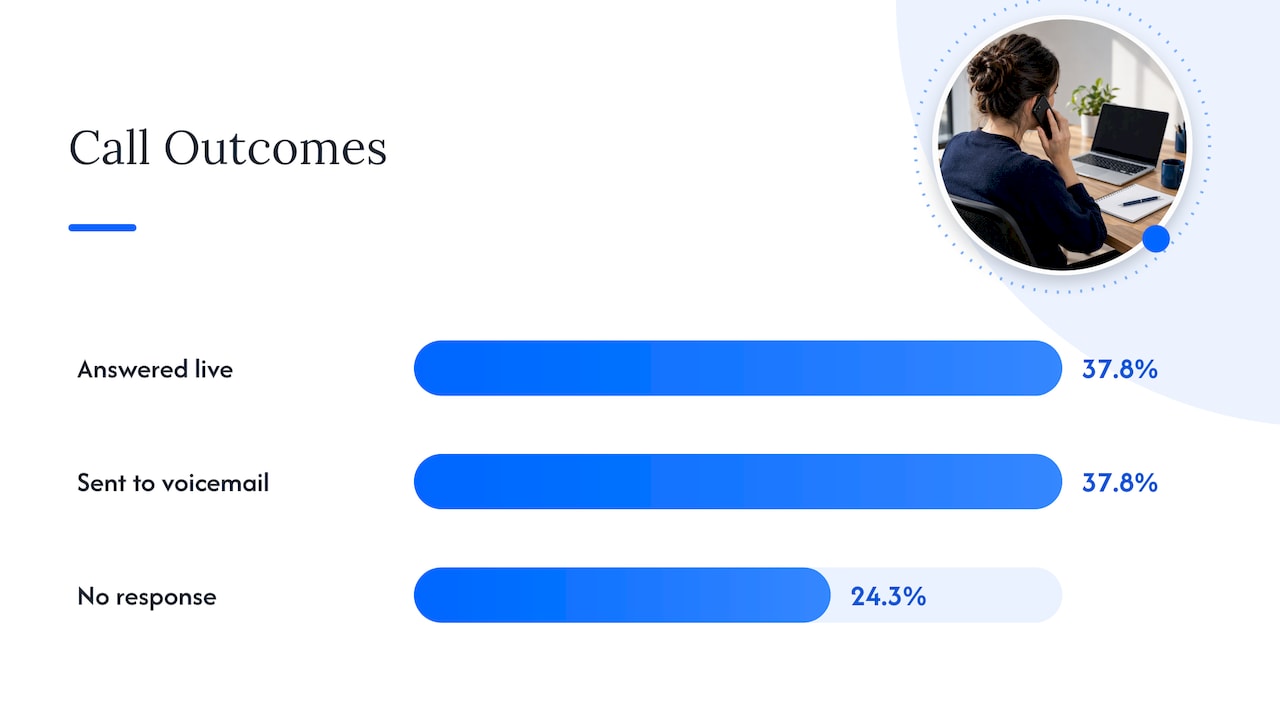
A separate 2024 study of 85 US businesses across 58 industries found that only 37.8% of calls were answered by a live person. Another 37.8% went to voicemail. The last 24.3% got no response at all. That is summarized in this research write-up.
The same write-up cites modeling that puts an average missed call at $100 to $200 in lost revenue for a US service business. It also reports a typical annual loss of around $126,000.
These numbers come from research summaries, and your own figure will differ. But the pattern is clear. When a customer needs a plumber, an electrician or a roofer, they call a few companies. The first one that answers usually gets the job.
Why you can’t answer on site
You already know the problem. You are on a job. Your phone rings in your pocket. If you stop to answer, you lose time and focus. If you don’t, you lose the lead.
There are a few usual ways owners handle this. Each one has a gap.
- You answer every call yourself. This breaks your workday and is not safe on ladders, roofs or around tools.
- You let calls go to voicemail and call back later. Most callers have already called someone else by then.
- You forward calls to a spouse, office manager or crew member. This works until they are busy, sick or off the clock.
- You hire a receptionist. That is a fixed cost, and it still leaves nights and weekends uncovered.
Speed matters more than most owners expect. The June 2026 brief cites research that businesses responding to a lead within one minute see 391% higher conversion rates. It also reports that only 4.7% of companies reach the five-minute response window.
Calls outside business hours
Your phone does not only ring from 9 to 5. The same brief reports that between 34% and 73% of calls arrive outside the 9-to-5 window, depending on the industry. Only 12% of those after-hours calls are effectively captured.
For home services this is a big deal. People call in the evening after work. They call on weekends when they have time to look at a leaking pipe or a broken AC. If nobody answers, the job goes to whoever does.
A call answering setup that runs 24/7 closes this gap. You do not need to be awake or in the office. The call is picked up, the details are taken, and you see them in the morning or as soon as you are free.
How to set up a business so every call gets answered
Here is a simple routine you can follow. It works for a one-truck shop and for a growing crew.
Step 1: Decide what a good call looks like
Write down what you need from every new caller. Keep it short. Most service businesses need:
- Name and callback number
- Address or service area
- What the problem is
- How urgent it is
- A time that works for the visit
If you can’t book a job without a piece of information, add it to the list. If you don’t use it, take it off. A short list keeps callers on the line.
Step 2: Choose who answers
There are three ways to get a call answered when you are busy.
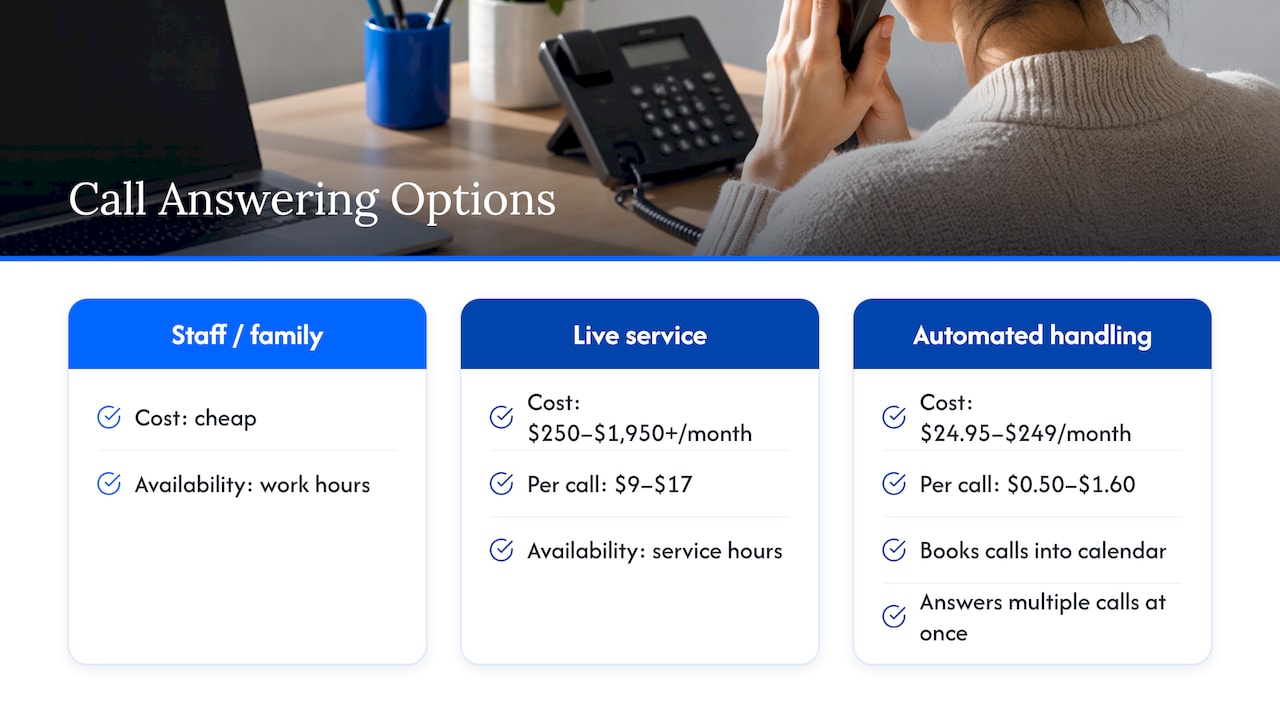
Staff or a family member. This is cheap but limited to the hours they work.
A live answering service. A 2026 contractor comparison puts live services at $250 to $1,950 or more per month, or $9 to $17 per handled call. That cost climbs as your call volume grows.
Automated call handling. The same comparison puts AI receptionists at $24.95 to $249 per month, or roughly $0.50 to $1.60 per call. It also notes that this kind of system books into your calendar and handles many calls at the same time. If five people call at once, all five get answered.
For a contractor who wants every call answered without paying per minute of conversation, automated handling is the clear first choice. LeadGuard is built for that. Our plans are $97, $147 and $197 per month, so the cost stays the same however many calls come in. More on that below.
Step 3: Set up routing
Not every call is the same. A new lead, an existing customer, a supplier and an emergency each need a different path.
Decide in advance:
- Which calls go straight to you or a crew lead
- Which calls are handled and booked automatically
- What counts as an emergency and who gets that call
- What happens after hours
Smart routing means the system sends each call where it belongs based on rules you set. A general contractor might route a call from a subcontractor to the project manager. A homeowner asking for a quote goes to the booking flow. This keeps your own phone quiet unless a call really needs you.
Step 4: Connect the calendar
A call is only worth something if it turns into a booked job. The answering system should look at your real availability and offer times that are actually open. If it can’t, you end up with back-and-forth texts and double bookings.
LeadGuard books appointments based on real-time availability. Scheduling automation connects through Make.com, so the booking can feed the tools you already use.
Step 5: Get notified right away
When a call ends, you should know about it within seconds. A text or email with the caller’s name, number, problem and booked time lets you glance at your phone between tasks and carry on.
LeadGuard sends instant SMS and email notifications, so you can see new leads without stopping the job.
Step 6: Follow up by text
Some callers hang up early. Some need a reminder. A short text after the call confirms the booking or invites them to reply. It keeps the lead warm and cuts no-shows.
SMS follow-ups are part of how LeadGuard works. They go out after the call without you lifting a finger.
Step 7: Test it
Call your own business number from another phone once a month. Listen to what a customer hears. Check that the booking shows up on your calendar and that the notification reaches you. Update your list of questions if you notice something missing.
What a good call flow sounds like
A caller should feel looked after from the first second. Here is an example for a plumber.
- The call is answered on the first ring with the company name.
- The caller says a kitchen sink is leaking.
- The system asks for the address, whether water is still running and when they want someone to come.
- It checks the calendar and offers two open times.
- The caller picks one and gets a text confirming it.
- The owner gets a text with the details.
The whole call can take a couple of minutes. Nobody had to stop work, and the caller never heard a voicemail beep.
What it costs when you don’t answer
Here is a simple way to check your own numbers. Take your average job value and multiply it by the number of calls you think you miss in a month. Then multiply by the share of those that would have turned into jobs.
A report on home services cited by a June 2026 article found that businesses in that field miss around 27% of inbound calls, with each missed call costing about $1,200 in lost revenue. Your own numbers may be lower or higher. If your average job is a few hundred dollars, even one booked call a month can cover a subscription.
Compare that to the monthly plan price. LeadGuard Starter is $97 per month. Professional is $147 per month. Enterprise is $197 per month.
Our view
We built LeadGuard because we kept hearing the same thing from contractors. They were great at the work and bad at the phone, and that was not their fault. You can’t be on a roof and on a call at the same time.
We think a missed call should be treated as a missed job. That is why our system answers every call right away, so there is no voicemail. It works around the clock. It asks the questions you would ask, books a time that fits your real schedule, and texts you the result.
We also think routing matters as much as answering. Some calls should reach you right now. Others should be handled without you. Our smart routing lets you decide which is which, and SMS follow-ups keep the customer in the loop.
Our goal is simple. You focus on delivering the service, and we make sure every lead that calls gets a real response.
Jim
Get started with LeadGuard
If you want every call answered while you are on site, LeadGuard is built for that. It answers instantly, qualifies the lead, books the appointment and sends you a notification. Plans are $97 per month for Starter, $147 per month for Professional and $197 per month for Enterprise.
You can see the plans and sign up at LeadGuard.
Common mistakes to avoid
A few things go wrong again and again when owners set up call handling.
Too many questions. Callers lose patience. Ask only what you need to book the job.
No emergency path. If a customer has a burst pipe, they need a fast route to you. Decide in advance what counts as urgent and how it is handled.
Forgetting existing customers. Past customers call about warranty work, invoices and follow-ups. Set up a route for them so they do not get treated like a new lead.
Never checking the results. Review your booked jobs and missed calls each week for the first month. Small changes to your questions or hours can make a big difference.
Ignoring weekends. The PipelineOn article reports that weekend unanswered-call rates reach 41%, compared with 18% on weekdays. Weekends are often when homeowners have time to call.
FAQ
Can I answer business calls automatically?
Yes. An AI call answering platform picks up each call, asks the questions you set, and books an appointment. LeadGuard does this around the clock, so callers never reach voicemail. You get a notification with the details.
What should happen to calls when I am on a job?
They should be answered right away, not sent to voicemail. The caller should be asked a few set questions and offered an open time on your calendar. You should then get a text or email so you can see the lead when you are free.
How do I make sure the right calls reach me?
Set routing rules. Decide which calls go to you, which go to a crew lead and which are booked automatically. LeadGuard has smart routing, so each call goes where you want it. Everything else is handled without interrupting your work.
How much does it cost?
LeadGuard has three plans. Starter is $97 per month, Professional is $147 per month and Enterprise is $197 per month. Plans are billed per business or location.