
Use copy-ready HVAC phone scripts plus a one-page intake checklist, and you will book more jobs and stop losing leads to voicemail. That is the single highest-leverage fix available to a shop right now, and it costs nothing to implement.
This article gives you everything needed to make that happen fast:
- Six script categories, each tied to the call type and the number it moves
- Full copy-ready templates for booking, emergency, price-shopper, after-hours, follow-up, and upsell calls
- A field-by-field intake checklist with approved safety escalation wording
- A 7-day rollout plan with a call-scoring rubric and the KPIs to track afterward
Your first move: put the standard inbound booking script and the intake checklist in front of every person answering your phone, starting Monday. Run it for one week before you touch anything else.
Pro Tip: Print the intake checklist and tape it next to the phone or pin it in your CRM’s call notes. Muscle memory beats memorized scripts every time a caller catches your team off guard.
Key Takeaways
Standardized scripts paired with a one-page intake checklist increase booking rates by giving every caller a consistent, fast, and safe path to an appointment.
| Point | Details |
|---|---|
| Match script to call type | Use one of six standard scripts, service, quote, emergency, follow-up, upsell, or review, based on caller intent. |
| Never quote exact repair prices | Give a price range anchored to the diagnostic fee instead of committing to a number sight unseen. |
| Capture nine intake fields every time | Name, callback, address, property type, system type, symptom, safety trigger, window, and access notes reduce wasted truck rolls. |
| Escalate safety risks immediately | Gas, smoke, or CO alarm calls require an immediate evacuate-and-call instruction before anything else. |
| Measure weekly after rollout | Track call-to-book rate, diagnostic booking rate, estimate close rate, and missed-call recovery rate. |
| Leadguard covers the gaps scripts can’t | Its 24/7 answering and intake automation keeps script delivery consistent on calls your team misses. |
Table of Contents
- Which HVAC Call Scripts Should You Standardize?
- Copy-Ready HVAC Phone Script Templates You Can Use Today
- What Belongs on Your Call Intake Checklist?
- How Do You Roll Out New Phone Scripts in a Week?
- How Do You Handle Common Customer Objections on the Phone?
- How Do You Build Rapport and Trust Over the Phone?
- How Should You Script Calls With Angry or Difficult Customers?
- How Do You Handle Compliance and Consent on HVAC Calls?
- Should You Customize Scripts by Customer Type?
- What Leadguard Adds on Top of Your Scripts
- Why Leadguard Is the Fastest Way to Protect Your Booking Rate
- Frequently Asked Questions
- Sources
Which HVAC Call Scripts Should You Standardize?
Six call types account for nearly every inbound HVAC phone call, and each one needs its own script because each one moves a different number. Treating a price-shopper call the same way you treat a no-heat emergency is how shops lose both the sale and the caller’s trust.
Standardizing starts with a fast triage question in the opener: is this urgent, is it new business, or is it existing business needing a decision? That single branch point routes the call down the right path in under fifteen seconds, which matters because top-performing shops that use disciplined call flows report booking well over half of inbound calls, compared to shops running improvised conversations.
| Call type | What it aims to achieve | Primary KPI |
|---|---|---|
| Inbound service request | Convert a symptom description into a booked appointment | Call-to-book rate |
| Quote/price request | Move from price question to a scheduled diagnostic visit | Diagnostic booking rate |
| After-hours/emergency | Triage safety risk and capture the lead before it goes cold | Callback-to-booking rate |
| Estimate follow-up | Resolve the objection stalling a decision | Quote close rate |
| Maintenance/upsell | Convert a service call into a membership or add-on sale | Upsell attach rate |
| Review request | Turn a completed job into a public review | Review rate |
The branching logic matters more than any individual line of dialogue. Your opener should ask one triage question, then hand the caller to the matching script rather than making every rep improvise from a blank page. A dispatcher who knows in the first ten seconds whether they are booking a quote call or handling a gas leak will sound calmer, move faster, and close more of both.

Copy-Ready HVAC Phone Script Templates You Can Use Today
These scripts are written to be read almost verbatim, then adjusted for your team’s natural speaking style. Industry script libraries consistently structure templates around the same skeleton: greeting, diagnosis, expectation setting, and a hard booking close, because that sequence is what actually moves a caller from “just looking” to “on the schedule.”
1. Standard Inbound Booking Script
Opener: “Thanks for calling [Company Name], this is [Rep Name]. How can I help you today?”
Qualifying questions:
- “What’s the system doing, or not doing, right now?”
- “Is this a home or a business?”
- “How long has this been going on?”
Expectation setting: “Based on what you’re describing, we’ll send a technician out for a diagnostic visit. That visit runs $[X], and it gets applied toward the repair if you move forward with us.”
Booking close: “I have an opening [tomorrow between 10 and 2] or [Thursday between 8 and noon]. Which works better?”
Confirmation text: “Confirmed: [Tech Name] will arrive between [window] on [date]. They’ll call 20 to 30 minutes before arrival. Reply STOP to opt out.”
2. Emergency Triage Script (No Heat, No AC, Gas Smell)
Opener with immediate safety check: “Before anything else, do you smell gas, hear hissing, or have a carbon monoxide alarm going off?”
If yes to any of those: “Please leave the house now and call [utility company] or 911 from outside. Do not turn on lights or use your phone inside the home. Call us back once you’re safe.”
If no: “Okay, that’s good. Let’s get someone out to you as fast as we can. Is anyone in the home elderly, very young, or medically vulnerable to the heat or cold right now?” This determines priority sequencing. Then move into the standard booking flow, flagged as urgent.
3. Price-Shopper / Quote-Range Script
Opener: “I understand you want a ballpark before booking, that’s fair. Repairs on [issue type] typically run between $[X] and $[Y], depending on the exact part and your system’s age. Our diagnostic visit is $[Z], and that fee gets credited toward the repair.”
Never quote an exact repair price sight unseen. Give a range anchored to the diagnostic fee, then move straight into booking language. This protects you from underquoting a job you haven’t seen and overpromising a number you can’t hit.
4. After-Hours Priority Script and SMS Fallback
Live after-hours opener: “Thanks for calling [Company Name]’s emergency line. This is [Rep Name]. What’s going on with your system?”
If the call goes to voicemail or the line is at capacity, send this SMS within 60 seconds: “Hi, this is [Company Name]. We got your call and want to help. Reply with your address and what’s happening, and we’ll call you right back.”
Pairing a text reply with a fast callback script recovers leads that would otherwise vanish overnight, since after-hours callers who get an immediate text response convert to bookings at meaningfully higher rates than those left with silence.
5. Estimate Follow-Up (Day 3) Script
Opener: “Hi [Name], this is [Rep Name] from [Company Name]. I wanted to follow up on the estimate we sent for [job]. Do you have any questions I can answer?”
Objection probe: “Is it the price, the timing, or are you comparing us to another quote? I want to make sure you’re comparing apples to apples, since some estimates don’t include [permit, warranty, disposal fee].”
Decision close: “If we can lock in a start date this week, I can hold your pricing at the quoted rate. Want me to pencil you in for [date]?”
Estimate follow-up is where the most revenue quietly disappears. A stalled quote that never gets a second call is a lost job, and a single scripted follow-up call recovers a meaningful share of those.
6. Maintenance Upsell and Review Request Scripts
Upsell close after a completed job: “Since we’re already out here, want me to walk you through our maintenance plan? It covers [X visits] a year and gets you priority scheduling if anything comes up.”
Review request SMS, sent within 2 hours of job completion: “Thanks for choosing [Company Name] today! If [Tech Name] took care of you, a quick review here would mean a lot: [link].”
Pro Tip: Send the review request text before the invoice email, not after. Customers who feel good about the fix respond fastest when the ask arrives first.
What Belongs on Your Call Intake Checklist?
Every call, regardless of type, should capture the same core fields before the rep hangs up. A one-page intake checklist reduces wasted truck rolls because a technician who knows the system type and access details before leaving the shop wastes far less time on-site guessing what he’s walking into.
| Field | Why it matters |
|---|---|
| Caller name and callback number | Basic recovery if the line drops |
| Service address | Confirms service area and routing |
| Residential or commercial | Changes pricing and crew assignment |
| System type and age | Determines parts and tech skill match |
| Symptom and duration | Speeds diagnosis before arrival |
| Safety triggers (gas, smoke, CO) | Triggers immediate escalation protocol |
| Preferred appointment window | Sets booking expectations upfront |
| Access notes (gate code, pets, parking) | Prevents on-site delays |
| Marketing source | Tracks which channels convert |
Three fields save a truck roll more often than any others: system type, access notes, and filter size or thermostat model when the caller knows it. A tech who arrives with the right filter or knows the gate code before pulling up saves 15 to 30 minutes on nearly every visit.
For safety triggers, approved wording should never ask the caller to troubleshoot a gas or CO issue themselves. If a caller mentions a gas smell, a hissing sound, or an active CO alarm, the script moves straight to: leave the home immediately, call the utility company or 911 from outside, and do not operate switches or phones indoors. Escalate that call to a supervisor immediately, and log it separately from standard bookings.
How Do You Roll Out New Phone Scripts in a Week?
A script rollout works best as a tight, measured pilot rather than a company-wide mandate rolled out overnight.
- Day 1: Draft or finalize the six core scripts and print the intake checklist.
- Day 2: Walk the team through each script out loud, once each, and answer questions.
- Day 3 to 4: Role-play calls in pairs, with one person as caller and one as rep, scoring each other against the rubric.
- Day 5: Go live with the scripts on real calls, recording or spot-checking a sample.
- Day 6: Review recorded calls as a group, flag gaps, and adjust wording that felt unnatural.
- Day 7: Measure call-to-book rate against the prior week’s baseline and lock in the final script version.
Score calls against five categories: greeting warmth, intake completeness, safety check compliance, expectation setting, and booking close. A call that misses the safety check entirely should score as a failure regardless of how well the rest went.
After rollout, track four numbers weekly: call-to-book rate, diagnostic booking rate, estimate close rate, and missed-call recovery rate. Shops using disciplined scripts and checklists have reported booking more than half of inbound calls, a useful benchmark to aim toward once your team is past the awkward first-week phase.
How Do You Handle Common Customer Objections on the Phone?
Most HVAC objections fall into three buckets: price, trust, and timing. Each needs a scripted response, not an improvised one, because reps under pressure tend to either cave on price or argue, and neither closes the job.
“That’s more than I expected.” Respond with: “I understand, let’s break down what’s included so you can see where the cost goes.” Then walk through parts, labor, and any warranty coverage rather than defending the number itself.
“I need to think about it.” This usually means an unresolved question, not genuine hesitation. Ask directly: “Is there something specific holding you back, price, timing, or comparing us to another quote?”
“I got a cheaper quote elsewhere.” Never discount reflexively. Instead: “I’d want to make sure that quote includes the same warranty and permit coverage ours does. A lot of lower quotes leave those out.” This reframes the comparison instead of racing to the bottom.
Scripted objection responses work because they remove the improvisation that causes reps to either fold or get defensive. Write these three responses down, laminate them, and put them next to every phone in the building.
How Do You Build Rapport and Trust Over the Phone?
Trust on a phone call comes from three things: tone, specificity, and follow-through, not from scripted friendliness alone.
Use the caller’s name early and often, but naturally, not as a sales trick repeated every sentence. Match their pace: a stressed caller with no heat in January needs urgency and short sentences, not a leisurely chat about the weather.
Specificity builds credibility faster than warmth does. Saying “we’ll have someone out this afternoon between 1 and 3” lands better than “we’ll get someone out soon,” because it proves you have a real system behind the call, not just a friendly voice.
Follow-through closes the loop. If you tell a caller a technician will call ahead, that call needs to happen. One broken promise on arrival timing erodes more trust than a slightly higher price ever will. Reps who deliver on small stated details, callback times, arrival windows, confirmation texts, build the kind of trust that turns a one-time caller into a repeat customer who stops shopping around.

How Should You Script Calls With Angry or Difficult Customers?
The instinct to defend the company first is the wrong instinct. Let the customer finish their complaint completely before responding, even if you already know the answer.
Use this sequence: acknowledge, apologize for the experience (not necessarily fault), gather facts, and propose a concrete next step. “I hear you, that’s frustrating, and I’m sorry you’re dealing with this. Let me get the details so I can get this fixed for you.” That single line defuses more anger than any policy explanation.
Never argue about who is right on the phone. If a customer is disputing a charge or blaming a previous repair, say: “I want to look into this properly rather than guess on the phone. Let me pull the job history and call you back within the hour.” Then actually call back within the hour.
Set an escalation rule in writing: any call where the customer raises their voice, threatens a bad review, or asks for a refund gets handed to a manager within one exchange, not after five minutes of a rep trying to handle it alone. That protects both the customer relationship and the rep’s morale.
How Do You Handle Compliance and Consent on HVAC Calls?
Every recorded or texted interaction carries a compliance obligation, and skipping it creates real legal exposure, not just an inconvenience.
If calls are recorded for quality or training purposes, the opener needs a disclosure line: “This call may be recorded for quality purposes.” Skipping this in states with two-party consent laws is a legal risk, not a formality.
SMS follow-ups, confirmations, and review requests all require documented opt-in consent before you text a customer, and every text needs a clear opt-out path. Leadguard’s guidance on SMS consent verification covers how to structure that consent capture correctly so your follow-up texts stay compliant rather than becoming a liability.
Intake fields that touch personal data, address, payment details, access codes, should never be repeated back over an unsecured line more than necessary, and should be stored in a system with access controls. Train reps to say “I’ve got that noted” instead of reading sensitive details back verbatim to confirm them.
Should You Customize Scripts by Customer Type?
A script written for a homeowner calling about a broken furnace should sound different from one written for a property manager overseeing twelve units. Both need the same intake fields, but the framing changes.
Residential homeowners respond to warmth and clear price ranges. They want reassurance as much as information, so slow down and confirm understanding before moving to booking.
Property managers and commercial accounts want speed and documentation. Skip the reassurance language and lead with availability, invoicing process, and any required paperwork or PO numbers.
Repeat customers should never hear the full intake script again. Pull their history and open with: “Good to hear from you again, [Name]. I see we serviced your [system] back in [month]. What’s going on this time?” That single adjustment signals you actually know them, which matters more to a returning customer than any scripted warmth.
Price-sensitive shoppers need the range-plus-diagnostic-fee framing every time, without exception, since this group is most likely to hang up if they hear a vague “it depends” with no anchor point.
What Leadguard Adds on Top of Your Scripts
Scripts only work if a human, or a system, is actually there to deliver them. Leadguard exists to make sure that happens on every single call, including the ones that come in at 11 p.m. or during your busiest afternoon when every line is tied up. The platform answers 24/7, walks through the same intake fields your checklist calls for, qualifies the caller’s urgency, and books directly into your approved appointment windows, so the scripts above stay consistent even when nobody’s at the desk.
Shop size generally points toward a natural fit. A single-truck operation testing automated call answering for the first time typically starts with the Starter HVAC Plan. A growing multi-tech shop that needs deeper qualification and scheduling logic tends to fit the Professional Growth HVAC Plan. Multi-location contractors managing call volume across several branches are better matched to the Enterprise HVAC Plan, built for centralized call handling across locations.
Scripts train your team. Leadguard makes sure the script gets delivered even when your team is out on a job, asleep, or already on another line.
Why Leadguard Is the Fastest Way to Protect Your Booking Rate
Every script in this guide only pays off if someone actually answers the phone and delivers it, and that’s the gap most HVAC shops never close. Leadguard is built specifically to answer every call instantly, day or night, run the same intake questions your checklist calls for, and book qualified leads straight into your schedule, without a voicemail box ever entering the picture.
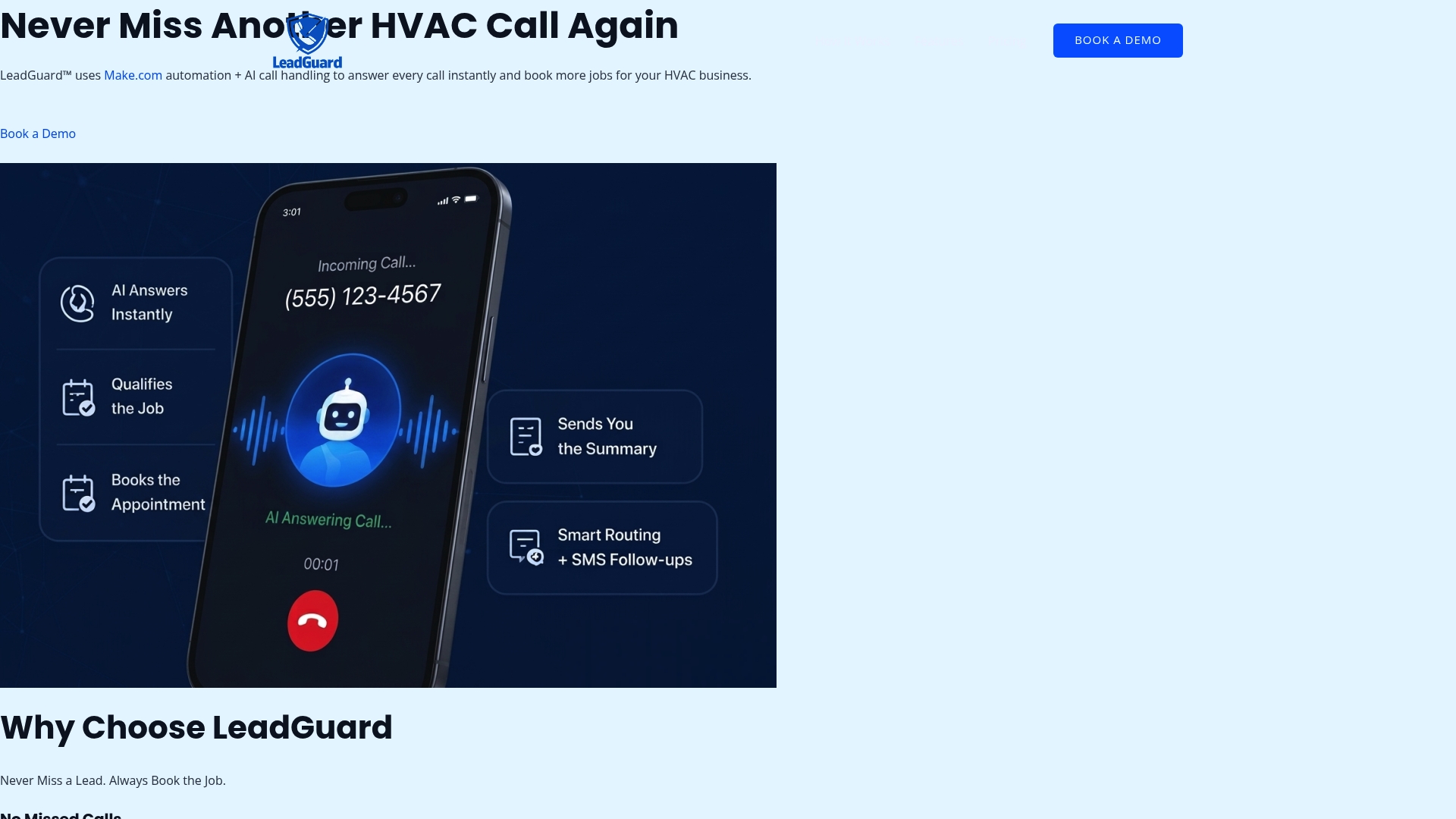
That matters most during the exact moments scripts can’t save you: a Sunday night no-heat call, three lines ringing at once during a July heat wave, or a tech who can’t step away from a job to pick up. Leadguard’s call automation and lead qualification platform captures the caller’s name, address, system type, and urgency automatically, then hands you a booked appointment instead of a missed-call notification. Explore Leadguard’s HVAC plans and pick the tier that matches your call volume, then get your line covered before the next after-hours emergency call finds only a ringtone.
Frequently Asked Questions
What are HVAC phone scripts, exactly?
HVAC phone scripts are pre-written call templates that guide a rep or dispatcher through greeting a caller, diagnosing the issue, setting price expectations, and closing the booking, one script per call type rather than one generic template for everything.
How many phone script templates does an HVAC shop actually need?
Six covers nearly every call: standard inbound service, quote/price request, after-hours emergency, estimate follow-up, maintenance upsell, and review request. Fewer than six leaves gaps; many more becomes hard for a team to memorize.
Should reps give exact repair prices over the phone?
No. Give a price range tied to the likely repair type, anchored to the diagnostic visit fee, and save the exact number for after a technician has actually inspected the system.
What’s the fastest way to test new phone scripts without disrupting operations?
Run a 7-day pilot: draft the scripts, role-play them internally for two days, go live with spot-checking for two more, then review recordings and measure call-to-book rate against your prior baseline before rolling out company-wide.
Can automation replace HVAC phone scripts entirely?
No, but it protects them. A platform like Leadguard delivers the same intake questions and booking logic on every call, including the ones your team can’t answer, so the script keeps working even when nobody’s at the desk.
Sources
A handful of sources shaped the scripts and checklist in this guide, and each is worth a direct look for additional templates:
- How HVAC Call Scripts Help Boost Booking Rates (+ …)
- HVAC Answering Service Script: Templates + Checklist
- Phone Script Templates for HVAC Technicians (2026)